Claude Cowork vs Kuse: File Scope & Context Control
Compare Claude Cowork and Kuse on file scope and context control. Learn how AI access boundaries impact safety, precision, and real-world workflows.
Compare Claude Cowork, Kuse, and NotebookLM for real workflows in 2026. See which AI fits execution, collaboration, or research—before you choose.
AI tools are rapidly moving beyond chat. In 2026, the real question is no longer “Which model is smartest?” but “Which workflow actually helps me get work done?”
Claude Cowork, Kuse, and NotebookLM represent three distinct approaches to AI-powered knowledge work:
They overlap just enough to invite comparison—but differ deeply in philosophy, execution, and ideal use cases. This guide breaks down those differences so you can choose the right tool for how you actually work.
Choose Claude Cowork if you want an AI agent that can plan and execute complex tasks directly on your local files and you’re comfortable with a macOS desktop workflow.
Choose Kuse if you want a web-based alternative that produces structured, shareable deliverables (Excel, Doc, PDF, HTML) without granting AI direct access to your local file system.
Choose NotebookLM if your priority is understanding, synthesizing, and exploring information, especially in the early stages of research.
Before comparing features, it helps to understand what each product is fundamentally designed to optimize for.
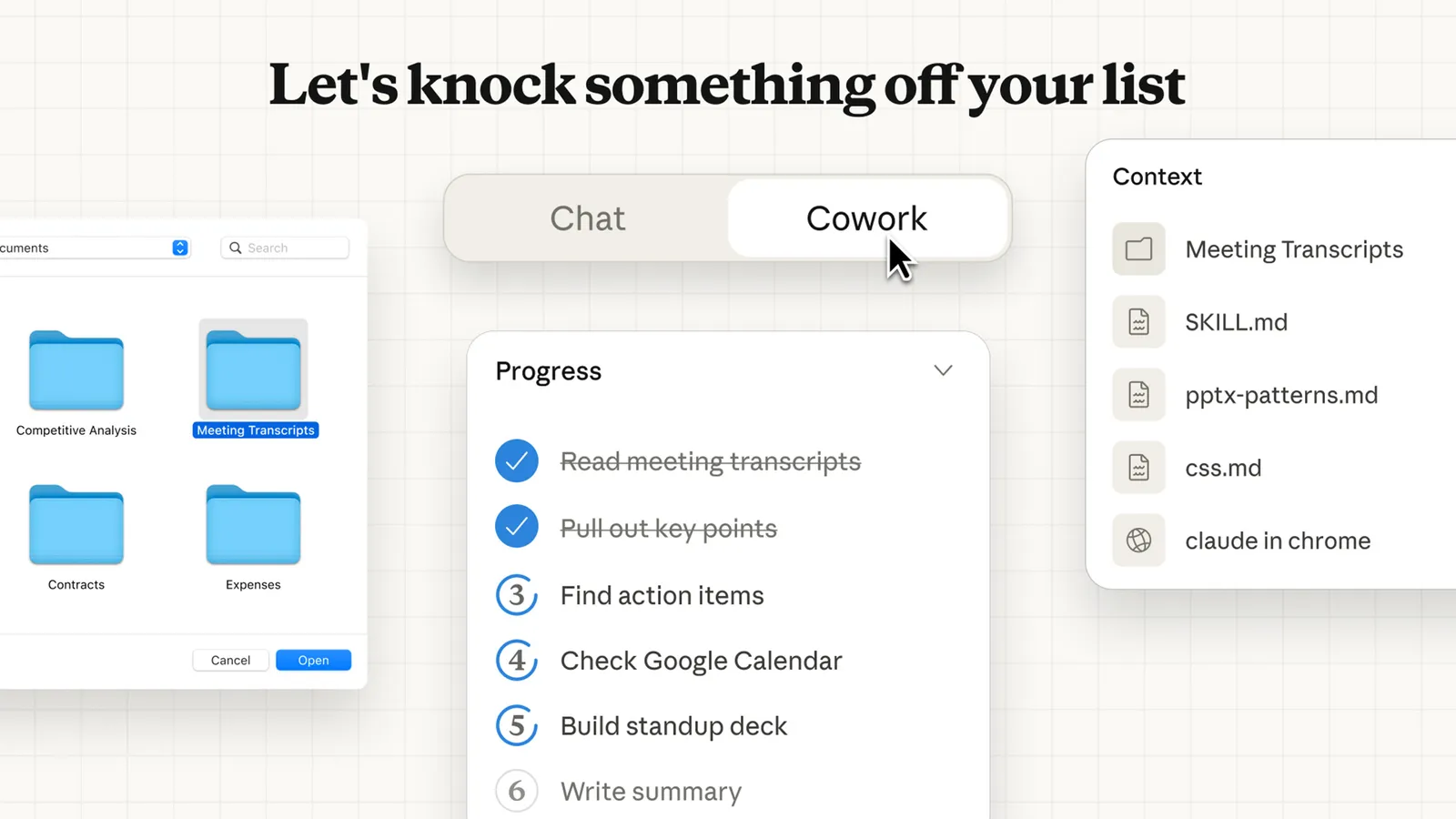
Claude Cowork is Anthropic’s attempt to move Claude from a conversational assistant into something closer to a true digital coworker. Built on the same agentic architecture as Claude Code, Cowork allows Claude to plan, decompose, and execute multi-step tasks with direct access to a user-selected local folder.
Rather than responding to prompts one at a time, Claude Cowork treats work as an evolving task. It can analyze your request, create a plan, break that plan into subtasks, and execute them over extended periods—while keeping you informed and allowing intervention when needed.
Claude Cowork is intentionally:
Its strength lies in autonomy and depth, but it also comes with constraints: it’s macOS-only, requires the desktop app to stay open, and is currently limited in sharing, memory across sessions, and cross-device workflows.
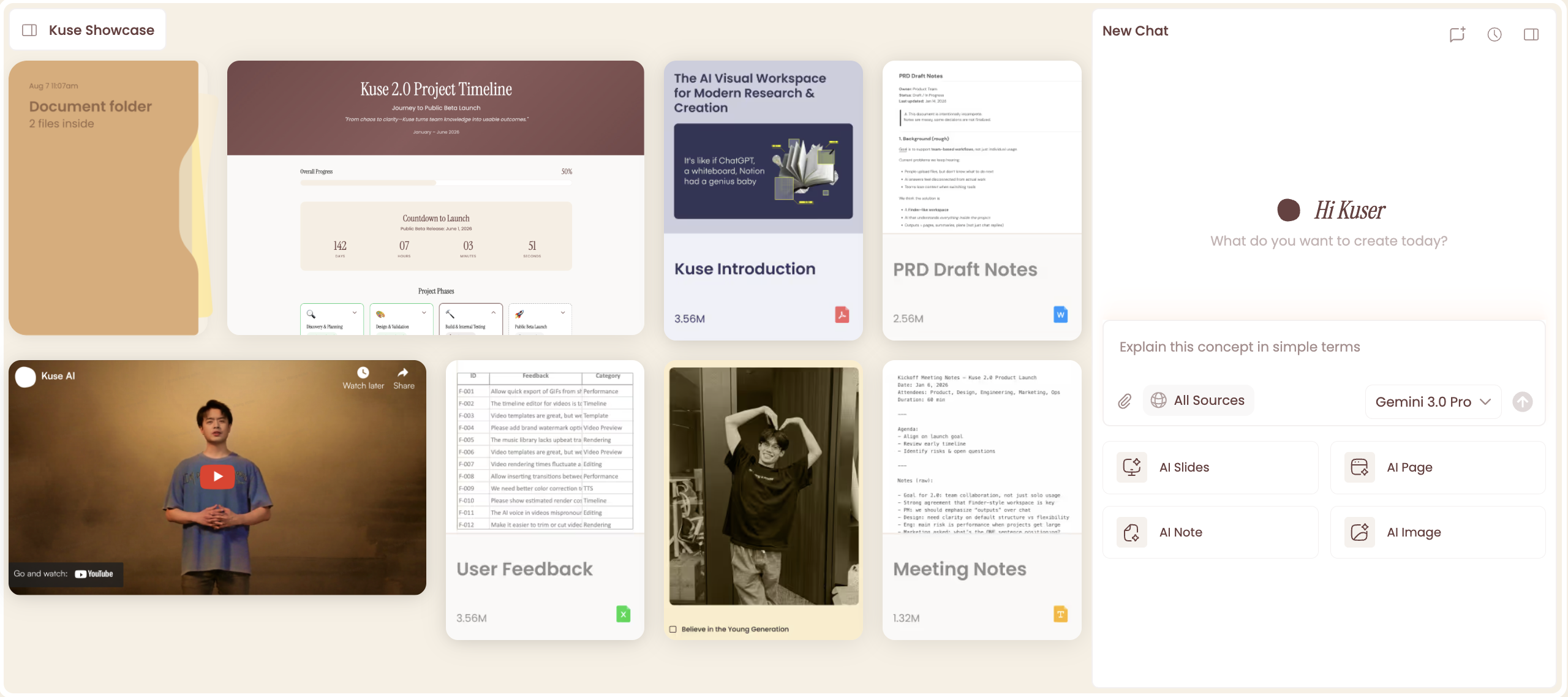
Kuse approaches the same problem—AI-assisted work—from a different angle. Instead of giving an AI agent ambient access to your file system, Kuse provides a web-based workspace designed to turn explicitly uploaded or referenced materials into structured, professional outputs.
The core idea behind Kuse is that most users don’t need an AI roaming their folders—they need reliable, well-formatted deliverables they can review, share, and iterate on. Kuse emphasizes templates, output formats, and clarity over autonomous execution.
Kuse is intentionally:
Rather than replacing local workflows, Kuse sits on top of them—making it better suited for team workflows, client-facing work, and situations where output quality and shareability matter more than raw agent autonomy.
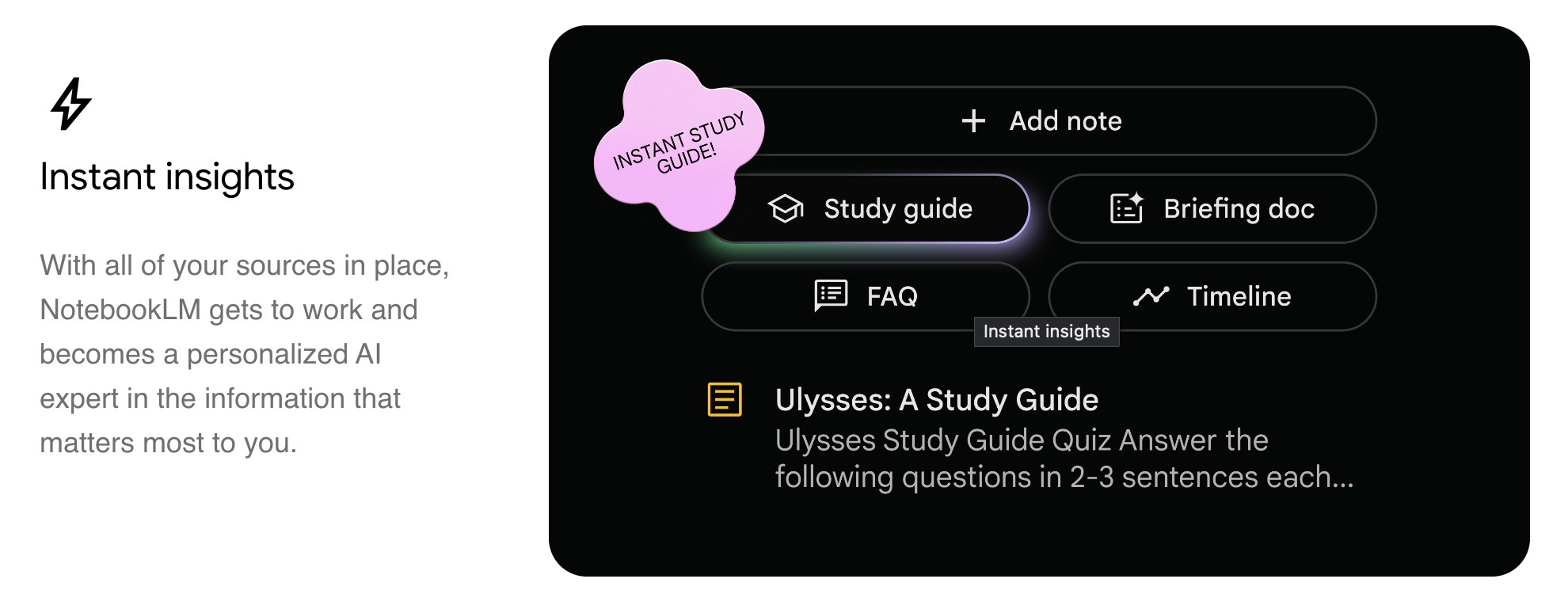
NotebookLM is Google’s AI-powered research and learning workspace. Its goal is not to execute tasks or produce final deliverables, but to help users understand and explore their own source material more effectively.
NotebookLM grounds all responses in user-provided sources. It excels at summarization, question answering, visual mapping, and structured note-taking—making it especially useful for students, researchers, and anyone working through complex material.
NotebookLM is intentionally:
It shines early in the workflow, but deliberately stops short of full document creation, automation, or task execution.
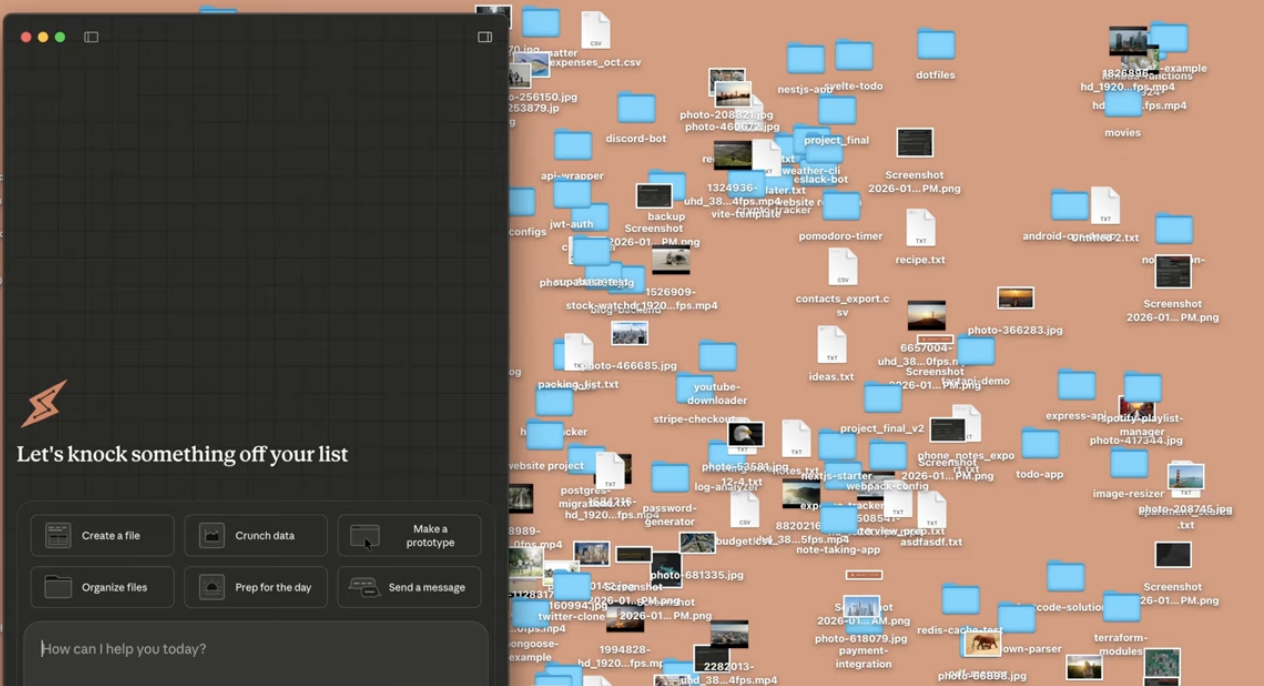
Claude Cowork treats your input as a task, not a message. When you describe an outcome—organizing a folder, generating a spreadsheet, drafting a report—Claude first analyzes the request, then creates a plan.
For complex work, it breaks that plan into subtasks, coordinates them (sometimes in parallel), and executes them inside a virtual machine (VM) running on your computer. Because Cowork has access to a local folder you explicitly grant, it can read existing files, edit them, and write finished outputs directly back to your file system.
This makes Cowork especially powerful for:
At the same time, this model requires care. Claude can take potentially destructive actions (like deleting files) if instructed, and the session ends if the desktop app closes. Cowork is a research preview, with limitations around sharing, memory, and cross-device sync.
Kuse starts from a different assumption: most people don’t actually want an AI agent roaming their file system. They want clean, structured outputs they can review, share, and iterate on.
In Kuse, work typically flows like this:
1. Upload or reference your materials in a browser-based workspace
2. Choose the type of output you want to create
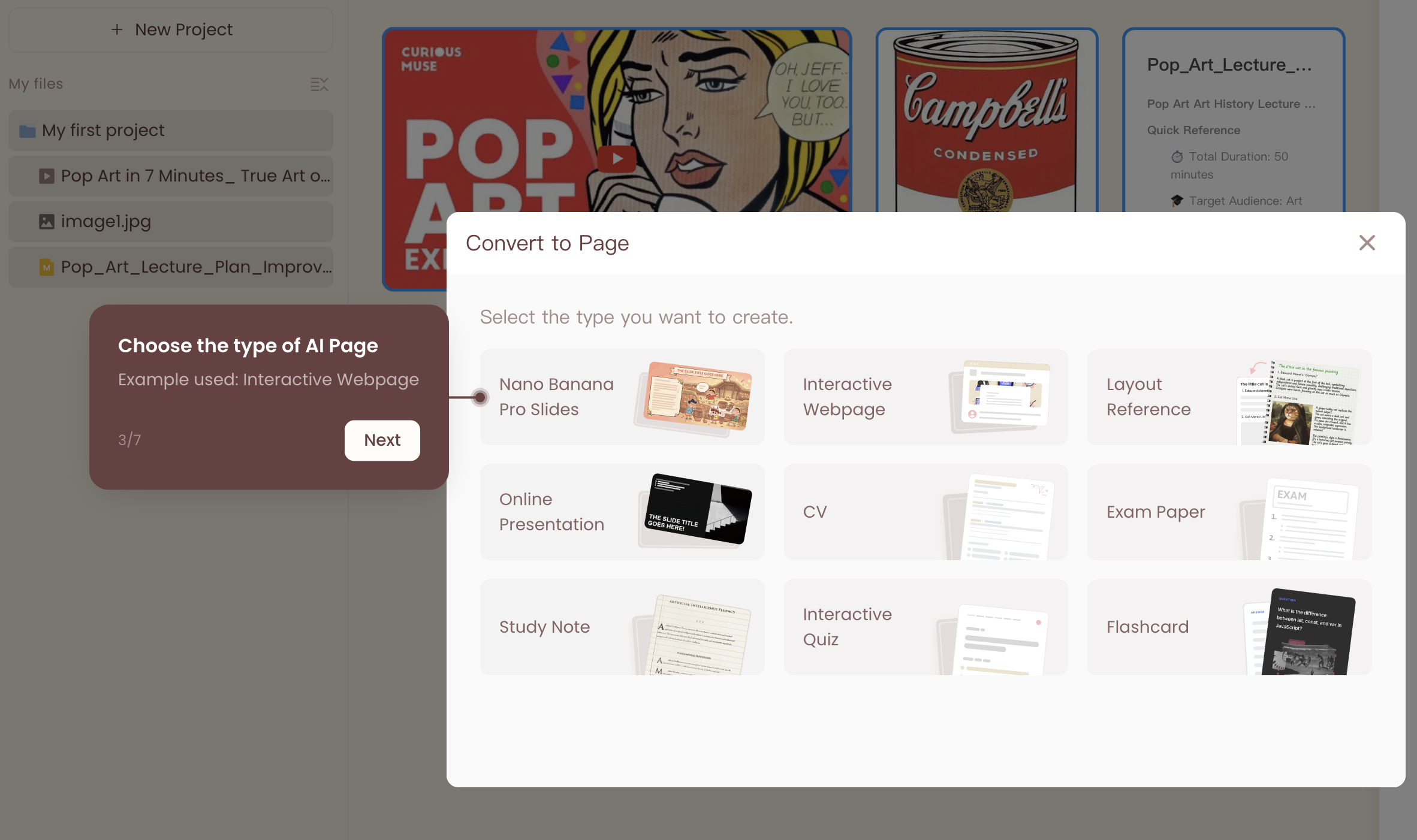
3. Use templates to generate structured deliverables
4. Export or share the result
Because Kuse is web-based, it works across Windows and macOS without installation. Files are intentionally brought into the workspace, which reduces the risk of unintended local file changes. Outputs are designed to be shareable, making Kuse better suited for collaborative or client-facing workflows.
Kuse does not aim to replicate Cowork’s local agent execution. Instead, it optimizes for:
NotebookLM is not trying to execute tasks or produce final deliverables. Its strength lies in helping users understand what they’ve uploaded.
You bring in PDFs, documents, or other sources, and NotebookLM helps by:
This makes NotebookLM ideal for early-stage research, studying, or synthesizing ideas—but it intentionally stops short of full document production or task execution.
With Claude Cowork, you grant access to a folder containing notes. Claude analyzes the files, plans a synthesis strategy, and generates a draft report directly into your local file system. The output feels automated and autonomous, but requires careful instruction.
With Kuse, you upload or reference the notes, select a report template, and generate a structured draft (Doc or PDF). The result is immediately shareable and easier to refine collaboratively.
With NotebookLM, you explore summaries, themes, and connections across the notes—but you’ll need another tool to turn that understanding into a formal report.
With Claude Cowork, receipts are placed in a local folder. Claude extracts data, applies formulas, and generates a formatted spreadsheet saved directly to your machine.
With Kuse, receipts are uploaded to the workspace, an Excel deliverable is selected, and a clean, structured spreadsheet is generated for export or sharing.
With NotebookLM, receipts can be summarized or explored, but the tool is not designed to produce structured financial outputs.
With Claude Cowork, Claude plans the transformation and generates a slide deck file from notes or transcripts, saved locally.
With Kuse, you choose a presentation deliverable and generate a structured deck designed for sharing, review, and iteration.
With NotebookLM, you identify key themes and structure—but presentation creation happens elsewhere.
You want an AI agent to execute complex tasks on your local files
You’re on macOS and comfortable with desktop-only workflows
You value agentic planning and long-running execution
You want a web-based Claude Cowork alternative
You need structured deliverables and templates
Collaboration and sharing matter
You prefer separating AI workflows from your local file system
Your main goal is understanding and synthesizing information
You’re in early research or learning stages
You don’t yet need final outputs
Claude Cowork, Kuse, and NotebookLM are not interchangeable—they represent three different philosophies of AI-assisted work.
Cowork asks: What if AI could actually do the work for you?
Kuse asks: What if AI helped you reliably produce and share real outputs?
NotebookLM asks: What if AI helped you truly understand what you’re reading?
Choosing the right one isn’t about which tool is “best”—it’s about which workflow matches how you work today.
Compare Claude Cowork and Kuse on file scope and context control. Learn how AI access boundaries impact safety, precision, and real-world workflows.
Compare Claude Cowork, Kuse, and NotebookLM for real workflows in 2026. See which AI fits execution, collaboration, or research—before you choose.

Explore the top 10 Claude Cowork alternatives in 2026. Compare access, collaboration, file safety, outputs, and pricing to find the best Claude AI alternative for real work.
Compare Claude Cowork vs Kuse in 2026: access, file safety, outputs, collaboration, and pricing gates—plus real workflows for reports, spreadsheets, and presentations.